

Overview
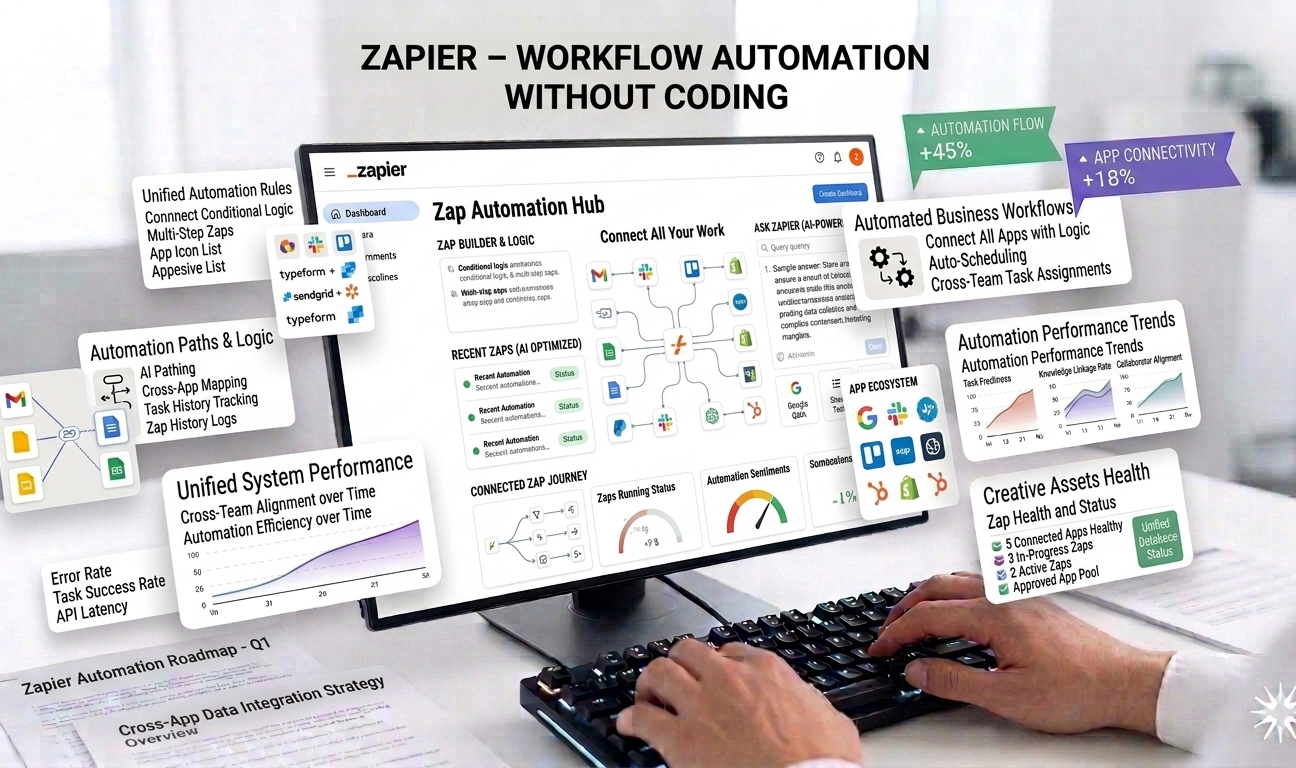
Zapier is a no-code workflow automation platform that allows individuals and businesses to connect their favorite apps and automate repetitive tasks without writing a single line of code. By enabling seamless data flow between applications, Zapier helps teams save time, reduce errors, and focus on higher-value work.
In modern digital workflows, teams rely on dozens of tools—CRMs, email platforms, project management apps, spreadsheets, and communication tools. Manually moving data between these systems is inefficient and prone to mistakes. Zapier solves this problem by acting as a central automation hub that triggers actions across apps automatically.
With support for over 5,000 integrations and powerful multi-step workflows, Zapier has become one of the most widely adopted automation tools for startups, marketers, sales teams, operations professionals, and solopreneurs.
How Zapier Works
Zapier operates using “Zaps,” which are automated workflows consisting of a trigger and one or more actions. A trigger is an event in one app—such as receiving a new form submission—while actions are tasks performed in another app, such as adding a contact to a CRM or sending a Slack notification.
Users select apps, define triggers and actions, and configure rules through a simple visual interface. Once activated, Zaps run in the background, continuously monitoring events and executing tasks automatically.
Zapier also includes AI-powered suggestions that recommend automations based on usage patterns, making it easier for users to discover new ways to streamline their workflows.
Key Features of Zapier
1. 5,000+ App Integrations
Zapier supports integrations with over 5,000 apps across categories such as marketing, sales, productivity, finance, customer support, and development. Popular integrations include Google Workspace, Slack, HubSpot, Salesforce, Trello, Notion, Airtable, and hundreds more.
This extensive ecosystem allows Zapier to serve as a universal connector, enabling data flow between tools that otherwise wouldn’t communicate.
2. Multi-Step Workflows
Unlike basic automation tools, Zapier supports complex, multi-step workflows. A single Zap can include multiple actions, conditions, delays, and branching logic.
For example, a multi-step workflow might:
- Capture a lead from a form
- Enrich the data
- Add it to a CRM
- Notify a sales team
- Schedule a follow-up task
These workflows allow teams to automate entire processes rather than isolated tasks.
3. AI-Suggested Automation
Zapier’s AI features help users discover and build automations more easily. Based on connected apps and user behavior, Zapier suggests relevant Zaps that can save time and improve efficiency.
This is especially helpful for beginners who may not know where automation can be applied in their workflows.
4. No-Code Workflow Builder
Zapier is designed for non-technical users. Its drag-and-drop interface and guided setup make it accessible to anyone, regardless of technical background.
Users can create powerful automations without involving developers, reducing dependency on engineering resources and accelerating implementation.
5. Filters, Conditions, and Logic
Zapier includes advanced logic features such as filters, paths, and conditional steps. These allow workflows to behave differently based on data values or predefined rules.
This level of control enables precise automation and ensures actions only occur when specific conditions are met.
6. Task Scheduling and Delays
Zapier allows users to schedule tasks or introduce delays into workflows. This is useful for timed follow-ups, reminders, or drip sequences.
For example, a user can automate sending a follow-up email three days after a form submission if no response has been received.
7. Monitoring and Error Handling
Zapier provides activity logs and error notifications to help users monitor automation performance. If a Zap fails, users are alerted and can troubleshoot issues quickly.
This ensures workflows remain reliable and data is not lost.
Use Cases
Marketing Teams
Marketers use Zapier to automate lead capture, campaign tracking, email marketing, and analytics reporting—reducing manual work and improving speed.
Sales Teams
Sales teams rely on Zapier to sync leads between tools, update CRMs, assign tasks, and trigger notifications—ensuring timely follow-ups.
Operations and Admin Teams
Operations professionals automate internal processes such as onboarding, approvals, data syncing, and reporting—improving efficiency and consistency.
Small Businesses and Solopreneurs
Zapier allows small teams to operate like larger organizations by automating repetitive tasks and reducing operational overhead.
Pricing
Zapier offers tiered pricing based on features and task volume:
- Free Plan: Limited single-step automations
- Paid Plans: Start at approximately $19.99 per month, unlocking multi-step workflows and advanced features
Higher tiers offer increased task limits, premium integrations, and enhanced automation capabilities.
Pros
✔ Extremely powerful and flexible automation platform
✔ Supports thousands of apps
✔ No technical skills required
✔ Saves significant time and reduces manual errors
✔ Scales with business growth
Cons
✖ Complex workflows can be tricky to optimize
✖ Costs increase with higher task volume
✖ Debugging advanced Zaps may require experience
✖ Not ideal for real-time or instant data syncing
Ease of Use and Learning Curve
Zapier is beginner-friendly for simple automations, but advanced workflows require time to master. Users must understand triggers, actions, and data mapping to build efficient Zaps.
Zapier provides extensive documentation, templates, and community support to help users learn and optimize workflows.
Security and Data Privacy
Zapier follows industry-standard security practices, including encryption and access controls. Users can manage app permissions and control data flow between systems.
The platform is trusted by thousands of businesses worldwide for secure automation.
Performance and Reliability
Zapier is highly reliable, running automations consistently in the background. While not designed for real-time processing, it performs well for most business automation needs.
Monitoring tools ensure users can track performance and resolve issues quickly.
Final Verdict
Zapier is one of the most powerful no-code automation platforms available today. With its massive integration library, flexible workflow builder, and AI-assisted automation suggestions, it empowers businesses to streamline operations without technical complexity.
While complex workflows may require careful optimization and higher usage can increase costs, the time saved and efficiency gained often outweigh these drawbacks.
Overall Rating: ⭐⭐⭐⭐½ (4.5/5)
For individuals and teams looking to automate repetitive tasks, connect apps, and build scalable workflows without coding, Zapier remains a top-tier automation solution.





Leave feedback about this