

Overview
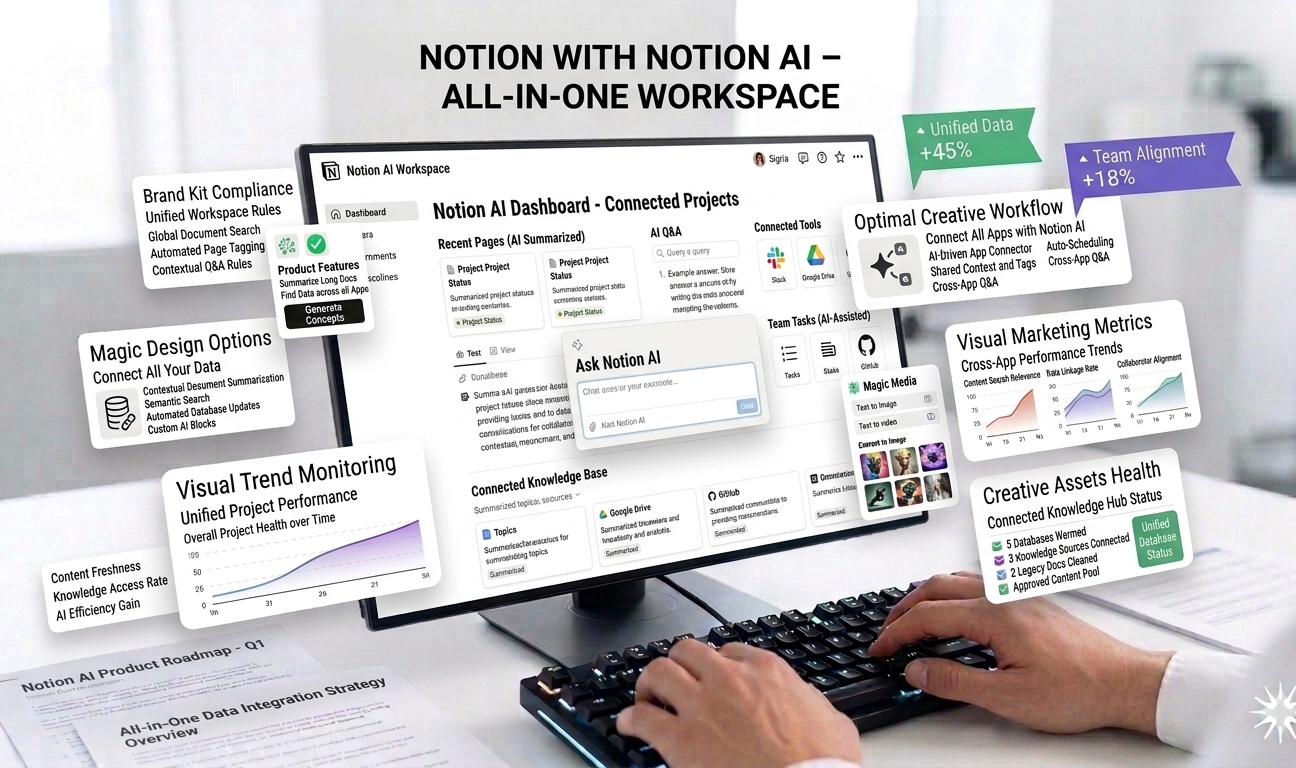
Notion with Notion AI is a powerful all-in-one productivity platform that combines note-taking, document creation, task management, databases, and knowledge-base functionality—enhanced by built-in artificial intelligence. Designed to replace multiple workplace tools, Notion helps individuals and teams organize work, collaborate efficiently, and centralize information in a single, flexible workspace.
As modern teams juggle documents, project management tools, CRMs, and internal wikis, information often becomes scattered across platforms. Notion solves this problem by providing a highly customizable workspace where everything lives in one place. With the introduction of Notion AI, the platform goes a step further by automating writing, summarization, and information retrieval—saving time and improving productivity.
Notion is widely adopted by startups, enterprises, students, content creators, and remote teams due to its flexibility and adaptability across use cases.
How Notion with Notion AI Works
Notion functions as a modular workspace built from blocks. Each page can contain text, headings, checklists, tables, databases, media, and embedded content. Users can structure pages however they want—whether as simple notes or complex project dashboards.
Notion AI integrates directly into this block-based system. Users can trigger AI actions such as writing content, summarizing pages, generating task lists, or refining text—without leaving their workspace. The AI understands page context and adapts outputs accordingly, making it highly practical for daily work.
The platform syncs across devices and supports real-time collaboration, allowing teams to work together seamlessly.
Key Features of Notion with Notion AI
1. AI-Generated Summaries and Writing Assistance
Notion AI can generate summaries of long documents, meeting notes, and research pages in seconds. This is particularly useful for teams dealing with large volumes of information.
The AI also assists with writing tasks such as drafting documents, rewriting text, brainstorming ideas, and improving clarity or tone. Users can prompt the AI to create content directly within Notion pages, eliminating the need for separate writing tools.
2. Documents and Knowledge Base
Notion excels at document creation and knowledge management. Teams can build internal wikis, SOPs, onboarding guides, and documentation using interconnected pages.
AI enhances knowledge discovery by summarizing content and answering questions based on stored information, making it easier to find relevant details quickly.
3. Databases for CRM, Content Calendars, and Projects
One of Notion’s most powerful features is its database system. Users can create databases for:
- Customer relationship management (CRM)
- Content calendars
- Project tracking
- Product roadmaps
- Task management
Databases are highly customizable, with properties, filters, views, and relations. Notion AI can assist by generating database entries, summarizing records, or extracting insights.
4. Task and Project Management
Notion supports task tracking through checklists, Kanban boards, timelines, and calendars. Teams can assign tasks, set due dates, and track progress visually.
While Notion is not a traditional project management tool, its flexibility allows teams to design workflows that match their processes. AI can help by generating task lists from meeting notes or summarizing project updates.
5. Collaboration and Team Workspaces
Notion is built for collaboration. Teams can comment on pages, mention teammates, and work on documents in real time. Permissions ensure sensitive information is accessible only to authorized users.
Notion AI enhances collaboration by reducing the time spent on writing, summarizing, and organizing shared content.
6. Templates and Customization
Notion offers a wide range of templates for personal productivity, business operations, education, and creative work. Users can also build their own templates for repeated workflows.
This flexibility makes Notion suitable for almost any industry or role, from marketing teams and engineers to students and entrepreneurs.
Use Cases
Startups and Small Businesses
Startups use Notion as a centralized workspace for documentation, project management, CRMs, and team communication. Notion AI helps teams move faster with fewer tools.
Content Creators and Marketing Teams
Content teams rely on Notion for editorial calendars, content planning, drafts, and collaboration. AI assists with brainstorming, summarizing, and refining content.
Product and Engineering Teams
Product teams use Notion for roadmaps, specs, and sprint planning. Engineering teams document processes and maintain internal knowledge bases.
Students and Educators
Students use Notion for note-taking, study planning, and research. AI helps summarize lectures and generate study materials.
Pricing
Notion offers flexible pricing plans:
- Free Plan: Ideal for individuals and basic use
- Paid Plans: Unlock advanced collaboration and storage
- Notion AI Add-On: Approximately $20 per user per month
While the free version is powerful, teams and heavy users benefit most from paid plans and AI features.
Pros
✔ Centralized workspace replacing multiple tools
✔ Highly customizable for diverse workflows
✔ AI boosts writing and information management
✔ Strong collaboration features
✔ Suitable for individuals and teams
Cons
✖ Interface has a learning curve for new users
✖ Advanced setups require time and planning
✖ Notion AI is a separate paid add-on
✖ Can feel overwhelming for simple use cases
Ease of Use and Learning Curve
Notion’s flexibility is both a strength and a challenge. New users may find the interface complex due to the sheer number of customization options. However, once familiar with the block-based system, users can create powerful workflows tailored to their needs.
Templates and tutorials help reduce the learning curve.
Security and Data Privacy
Notion follows standard security practices, including encryption and access controls. Team administrators can manage permissions and ensure data security across workspaces.
Enterprise plans offer additional security and compliance features.
Performance and Reliability
Notion performs reliably across devices, with real-time syncing and collaboration. Notion AI operates smoothly within the platform, delivering fast responses without disrupting workflows.
Final Verdict
Notion with Notion AI is a versatile and intelligent workspace that brings together documents, tasks, databases, and collaboration in one platform. Its AI capabilities significantly enhance productivity by automating writing, summarization, and organization.
While the interface can take time to master and AI features come at an additional cost, the value delivered in flexibility, centralization, and efficiency makes Notion an excellent choice for individuals and teams seeking an all-in-one workspace.
Overall Rating: ⭐⭐⭐⭐½ (4.5/5)
For those willing to invest time in setup and customization, Notion with Notion AI offers a powerful, future-ready productivity solution.



Leave feedback about this