

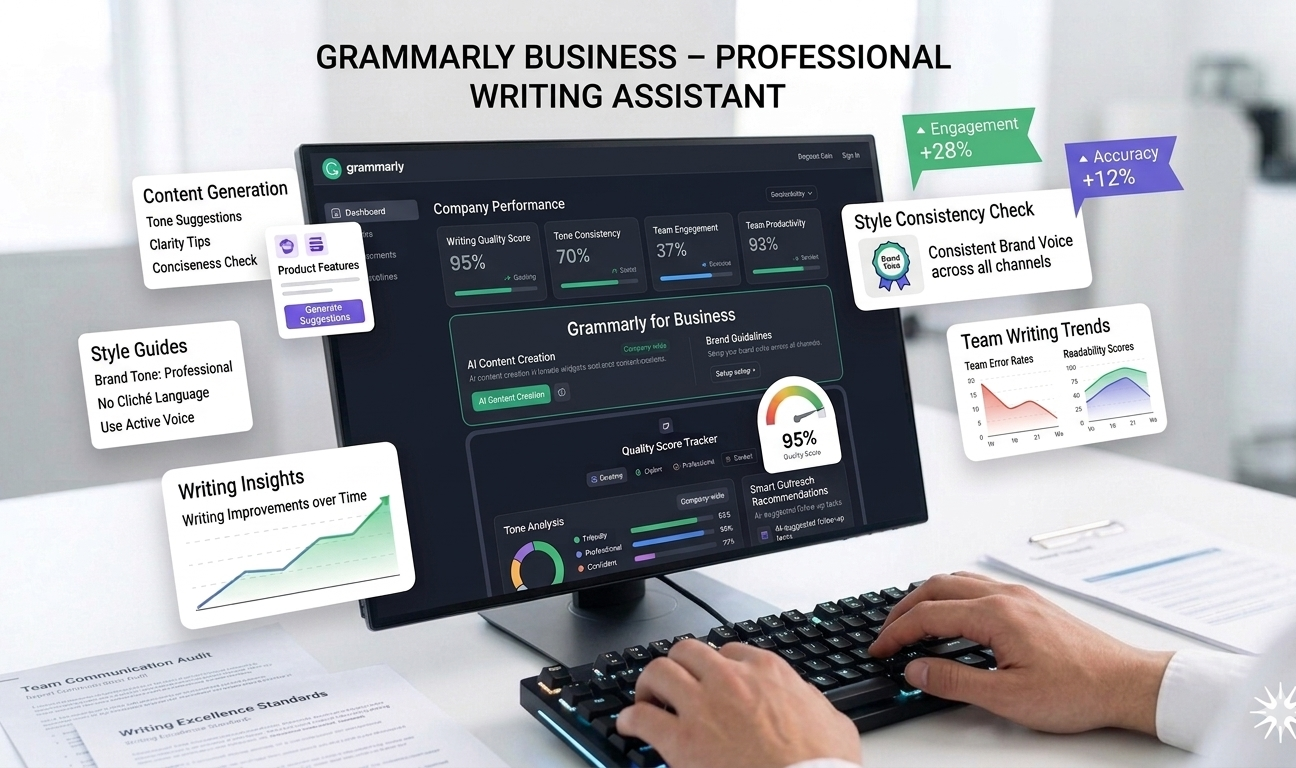
Grammarly Business is a professional writing assistant designed to help teams and organizations communicate clearly, consistently, and confidently. By combining advanced AI-powered language analysis with team-level controls, Grammarly ensures that all written communication—whether internal or external—remains polished, on-brand, and error-free.
In modern workplaces, written communication plays a critical role across emails, documents, marketing copy, customer support responses, and collaboration tools. Small mistakes in grammar, tone, or clarity can weaken credibility and negatively impact brand perception. Grammarly Business addresses this challenge by acting as a real-time writing companion that improves quality without slowing productivity.
Unlike the standard Grammarly version aimed at individual users, Grammarly Business focuses on team collaboration, brand consistency, and enterprise-level writing standards. It’s widely used by marketing teams, customer support departments, HR professionals, and executives who rely heavily on written communication.
How Grammarly Business Works
Grammarly Business integrates seamlessly into everyday workflows through browser extensions, desktop applications, and integrations with popular tools like Google Docs, Microsoft Word, Gmail, Slack, and more.
As users write, Grammarly’s AI analyzes text in real time and provides suggestions for grammar, spelling, punctuation, tone, clarity, and engagement. For businesses, administrators can define company-wide style rules, preferred terminology, and tone guidelines to ensure consistency across all communications.
The AI adapts suggestions based on context and audience, helping teams communicate more effectively without requiring extensive editing or review cycles.
Key Features of Grammarly Business
1. Grammar, Tone, and Clarity Suggestions
At the core of Grammarly Business is its advanced AI-powered writing analysis. The tool identifies and corrects grammatical errors, spelling mistakes, punctuation issues, and sentence structure problems in real time.
Beyond basic corrections, Grammarly evaluates tone and clarity—suggesting ways to make writing more professional, confident, friendly, or concise depending on the context. This is particularly useful for customer-facing communication, where tone can significantly impact user experience.
2. Brand Tone and Voice Consistency
Grammarly Business helps organizations maintain a consistent brand voice across teams. Administrators can set preferred tone attributes—such as formal, empathetic, or authoritative—and Grammarly will guide users to align their writing accordingly.
This feature is especially valuable for marketing and customer support teams, ensuring all messages reflect the company’s identity and values, regardless of who is writing.
3. Team Style Guides
One of the standout features of Grammarly Business is its team style guide functionality. Organizations can create custom writing rules that reflect their brand standards, including:
- Preferred spelling and terminology
- Capitalization rules
- Product naming conventions
- Industry-specific language
Grammarly automatically enforces these rules across all team members, reducing inconsistencies and minimizing the need for manual proofreading.
4. Centralized Admin Controls
Grammarly Business provides administrators with centralized controls to manage users, permissions, and writing guidelines. This ensures consistent application of brand standards across departments and locations.
Admins can also track adoption and usage to ensure teams are fully leveraging the tool.
5. AI-Powered Rewrite Suggestions
Grammarly doesn’t just point out errors—it actively suggests rewrites to improve sentence structure, clarity, and engagement. These AI-powered recommendations help users express ideas more effectively without changing their intent.
This feature is particularly helpful for non-native English speakers or professionals who want to communicate more confidently in written form.
6. Real-Time Collaboration Support
Because Grammarly integrates directly into collaboration tools, teams can write, review, and edit content together more efficiently. Suggestions appear instantly, reducing back-and-forth revisions and approval cycles.
This improves productivity and helps teams deliver high-quality content faster.
Use Cases
Marketing Teams
Marketing teams rely on Grammarly Business to ensure campaigns, landing pages, emails, and social posts are polished and on-brand. The team style guide ensures consistency across all marketing channels.
Customer Support Teams
Clear and empathetic communication is critical in customer support. Grammarly helps agents craft responses that are professional, friendly, and easy to understand—improving customer satisfaction.
HR and Internal Communications
HR teams use Grammarly Business for job postings, internal announcements, policies, and onboarding documents. The tool ensures clarity and professionalism while maintaining an appropriate tone.
Executives and Leadership Teams
Leaders use Grammarly to refine emails, presentations, and reports—ensuring communication reflects authority and professionalism.
Pricing
Grammarly Business offers flexible pricing options:
- Free Plan: Basic grammar and spelling checks
- Premium (Individual): Starts at approximately $12+ per month
- Business Plans: Custom pricing based on team size and features
The free plan is suitable for casual users, while Premium and Business plans unlock advanced tone, clarity, and team collaboration features.
Pros
✔ Improves writing clarity and professionalism
✔ Ensures consistent brand voice across teams
✔ Easy to use with minimal learning curve
✔ Works across multiple platforms and tools
✔ Valuable for both internal and external communication
Cons
✖ Advanced business features require paid plans
✖ AI suggestions may occasionally feel repetitive
✖ Limited customization beyond language and tone
✖ Requires user judgment to accept or reject suggestions
Accuracy and Language Support
Grammarly is highly accurate for standard business English and supports multiple dialects such as American, British, Canadian, and Australian English. While it excels in general business writing, highly technical or niche industry language may still require manual review.
Ease of Use and Adoption
Grammarly Business is designed to be intuitive and unobtrusive. Most users can start benefiting from the tool immediately without formal training. Suggestions appear naturally as part of the writing process, making adoption easy across teams.
Security and Privacy
Grammarly follows industry-standard security practices, including encryption and strict data handling policies. Business users can control access and ensure sensitive data is handled responsibly.
The platform is designed to meet enterprise-level security requirements, making it suitable for organizations of all sizes.
Performance and Reliability
Grammarly Business operates smoothly in the background without impacting system performance. Real-time suggestions are delivered quickly, even in long documents or collaborative environments.
Its reliability makes it a trusted tool for daily professional use.
Final Verdict
Grammarly Business is a powerful writing assistant that elevates professional communication across organizations. By combining AI-powered grammar correction, tone analysis, and team-level style controls, it helps businesses maintain clarity, credibility, and consistency in every message.
While advanced features require a paid subscription, the productivity gains and improvement in communication quality make Grammarly Business a valuable investment for teams that rely heavily on written communication.
Overall Rating: ⭐⭐⭐⭐½ (4.5/5)
For businesses looking to improve writing quality, strengthen brand voice, and reduce editing time, Grammarly Business stands out as one of the most reliable and effective AI writing tools available.



Leave feedback about this