

Overview
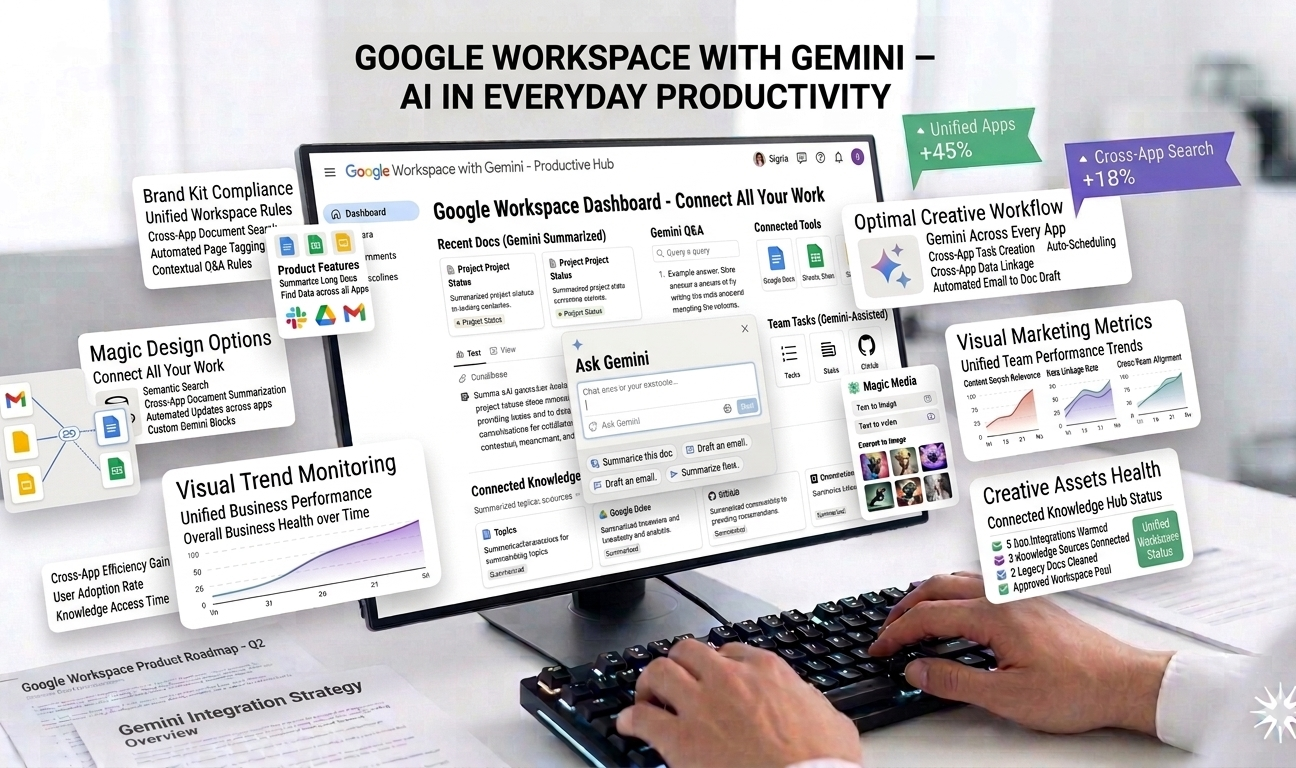
Google Workspace with Gemini brings artificial intelligence directly into the productivity tools millions of businesses already use every day. By integrating Gemini AI into Gmail, Google Docs, Google Drive, Sheets, and other Workspace apps, Google enables faster writing, smarter planning, and better information management—without requiring users to adopt new software or workflows.
For organizations already relying on Gmail for communication, Docs for documentation, and Drive for file storage, Gemini AI acts as an intelligent assistant embedded into familiar tools. Instead of switching between standalone AI apps, users can draft emails, summarize documents, analyze files, and generate ideas directly where work happens.
Google Workspace with Gemini is designed to enhance productivity across roles—from executives and marketers to HR teams and operations staff—by reducing manual effort and accelerating everyday tasks.
How Google Workspace with Gemini Works
Gemini AI is deeply integrated into Google Workspace applications. Once enabled, users can trigger AI actions contextually within Gmail, Docs, and Drive. For example, while writing an email in Gmail, Gemini can draft a response, rewrite text, or summarize a long conversation thread.
The AI understands the context of documents, emails, and files stored in Google Drive, allowing it to generate relevant summaries, suggestions, and insights. This contextual awareness makes Gemini particularly effective for knowledge workers who manage large volumes of information daily.
Because Gemini operates within existing Workspace apps, onboarding is minimal—users continue working as usual while benefiting from AI-powered assistance in the background.
Key Features of Google Workspace with Gemini
1. AI Drafting and Summarization in Gmail
Gemini AI significantly enhances email productivity in Gmail. Users can generate full email drafts based on short prompts, rewrite emails to sound more professional or concise, and summarize long email threads instantly.
This is especially useful for professionals managing high email volumes, where responding quickly and clearly is critical. Gemini helps users save time while maintaining a polished tone.
2. AI Writing and Editing in Google Docs
In Google Docs, Gemini AI assists with content creation, editing, and refinement. Users can:
- Generate document drafts
- Rewrite paragraphs for clarity or tone
- Summarize long documents
- Brainstorm ideas and outlines
This feature benefits teams working on reports, proposals, policies, marketing content, and internal documentation—reducing writing time and improving consistency.
3. File Analysis and Insights in Google Drive
Gemini AI can analyze files stored in Google Drive and provide summaries or key insights. For example, users can ask Gemini to summarize a lengthy report or extract action items from meeting notes.
This capability improves information retrieval and reduces time spent searching through documents, making Drive more than just a storage solution.
4. Meeting Summaries and Action Items
Gemini AI enhances collaboration by generating summaries of meetings and identifying key discussion points and action items. This helps teams stay aligned, even when participants miss meetings or need quick recaps.
By automating note-taking and summarization, Gemini reduces administrative overhead and improves follow-through.
5. Context-Aware AI Assistance
One of Gemini’s biggest strengths is its contextual understanding. Because it operates within Workspace, it can reference relevant emails, documents, and files—producing more accurate and useful responses than standalone AI tools.
This context-awareness enables smarter suggestions and more relevant outputs.
6. Seamless Integration with Daily Workflows
Unlike external AI tools, Gemini does not require users to copy and paste content between platforms. Everything happens inside Gmail, Docs, and Drive, reducing friction and improving adoption.
This seamless integration makes Gemini particularly appealing to organizations focused on efficiency and simplicity.
Use Cases
Business Professionals and Executives
Executives use Gemini to draft emails, summarize reports, and prepare documents faster—allowing them to focus on decision-making rather than writing.
Marketing and Content Teams
Marketing teams benefit from Gemini’s ability to draft content, refine messaging, and summarize research. While not a full replacement for specialized AI writing tools, Gemini is effective for everyday content tasks.
HR and Operations Teams
HR teams use Gemini to draft policies, summarize employee feedback, and manage documentation. Operations teams benefit from faster reporting and file analysis.
Small and Medium Businesses
SMBs already using Google Workspace can adopt Gemini without changing tools, making it a low-friction way to introduce AI into daily operations.
Pricing
Google Workspace with Gemini follows a modular pricing structure:
- Workspace Basic: Approximately $7 per user per month
- Workspace Standard: Approximately $14 per user per month
- Gemini AI Add-On: Around $20 per user per month
While Workspace plans are competitively priced, access to advanced Gemini AI features typically requires the paid add-on.
Pros
✔ Built directly into tools businesses already use daily
✔ No need to adopt new apps or workflows
✔ Improves writing, summarization, and planning efficiency
✔ Context-aware AI delivers relevant outputs
✔ Easy onboarding and high adoption potential
Cons
✖ Advanced AI capabilities require an additional paid add-on
✖ Less specialized than standalone AI writing tools
✖ Feature availability may vary by Workspace plan
✖ Customization options are limited compared to dedicated AI platforms
Ease of Use and Learning Curve
Google Workspace with Gemini is extremely easy to use for existing Workspace users. The AI features are intuitive and accessible through simple prompts and menus.
Because Gemini is embedded into familiar interfaces, the learning curve is minimal—making it one of the most accessible AI productivity solutions available.
Security and Data Privacy
Google applies enterprise-grade security and privacy standards to Gemini AI. Data access and permissions align with existing Workspace policies, ensuring sensitive information remains protected.
Organizations maintain control over user access and data handling, making Gemini suitable for business environments.
Performance and Reliability
Gemini AI performs reliably within Google Workspace, delivering fast responses and consistent assistance. Because it’s part of Google’s cloud infrastructure, uptime and performance are strong.
The AI operates smoothly without disrupting daily workflows.
Comparison with Standalone AI Tools
While standalone AI tools may offer more advanced or specialized features, Gemini’s biggest advantage is convenience. For teams already invested in Google Workspace, Gemini eliminates the need for additional subscriptions and tool switching.
This makes it particularly appealing for organizations prioritizing efficiency over niche AI capabilities.
Final Verdict
Google Workspace with Gemini brings AI-powered productivity directly into the tools businesses already rely on. By enhancing Gmail, Docs, and Drive with intelligent drafting, summarization, and analysis, Gemini helps teams work faster and smarter—without adding complexity.
Although advanced AI features require a paid add-on and may not match the depth of standalone AI platforms, the seamless integration and ease of use make Gemini a compelling choice for existing Google Workspace users.
Overall Rating: ⭐⭐⭐⭐½ (4.5/5)
For businesses looking to boost productivity with minimal disruption, Google Workspace with Gemini offers a practical, efficient, and future-ready AI solution.





Leave feedback about this