

Overview
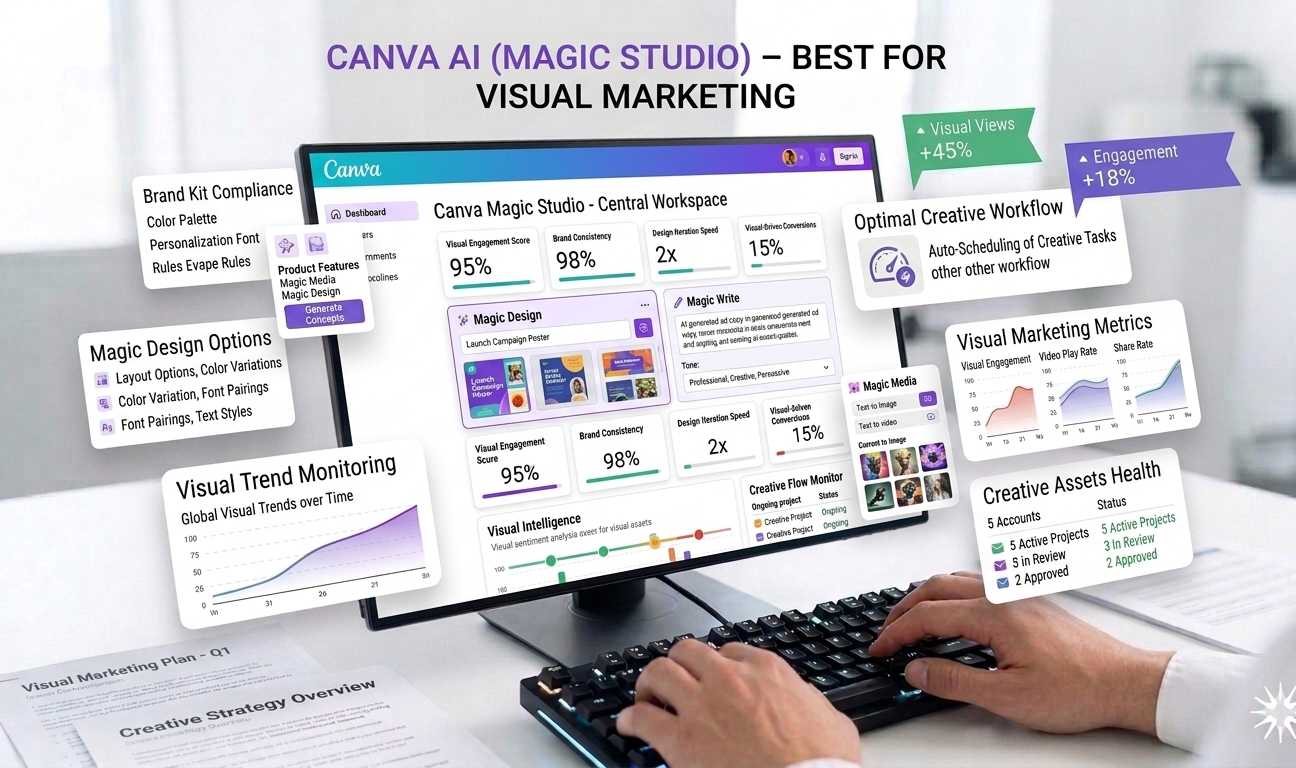
Canva AI, part of Canva’s Magic Studio suite, is a powerful visual design platform that makes professional-quality graphic design accessible to everyone. By combining an intuitive drag-and-drop interface with AI-powered tools, Canva allows users with little to no design experience to create visually stunning graphics, presentations, social media posts, marketing materials, and branded content.
Visual content has become essential in digital marketing, social media, advertising, and branding. However, traditional design tools often require advanced skills, expensive software, and significant time investment. Canva AI solves this problem by simplifying the design process while still delivering high-quality, polished results.
Magic Studio introduces AI features such as Magic Write for text generation, smart design suggestions, and automated layouts—making Canva not just a design tool, but a complete visual marketing platform.
How Canva AI (Magic Studio) Works
Canva AI operates within Canva’s web and mobile platforms. Users start by choosing a template or a blank canvas for their design type—such as a social media post, presentation, flyer, or ad.
Magic Studio’s AI tools assist throughout the process by generating text, suggesting layouts, resizing designs, and enhancing images. Users can customize colors, fonts, and visuals to match brand identity, while collaborative features allow teams to work together in real time.
Because Canva AI is built into Canva’s existing ecosystem, it requires minimal onboarding and works seamlessly across devices.
Key Features of Canva AI (Magic Studio)
1. Magic Write – AI Text Generation
Magic Write is Canva’s built-in AI writing assistant. It helps users generate headlines, captions, descriptions, and marketing copy directly within designs.
This feature is particularly useful for social media posts, ad copy, and presentation text. Users can quickly brainstorm ideas, refine messaging, and create engaging content without switching to a separate writing tool.
2. Templates and Collaborative Editing
Canva offers thousands of professionally designed templates across categories such as social media, marketing, education, and business. These templates serve as a strong starting point for users, reducing design time significantly.
Collaborative editing allows teams to comment, edit, and approve designs in real time. This makes Canva AI suitable for marketing teams, agencies, and remote collaborators.
3. Image Design and Visual Creation
Canva AI supports a wide range of visual content, including:
- Social media graphics
- Display and video ads
- Presentations and pitch decks
- Flyers, posters, and brochures
- Infographics and reports
AI-powered features help with background removal, image resizing, and layout adjustments—making complex design tasks simple and fast.
4. Brand Kits and Consistency
For businesses, Canva AI supports brand kits that store logos, fonts, and color palettes. This ensures consistency across all designs, even when multiple team members are creating content.
AI helps apply brand styles automatically to new designs, saving time and maintaining brand identity.
5. Smart Design Suggestions
Magic Studio includes AI-powered suggestions that improve layout, alignment, and visual balance. These suggestions help non-designers create visually appealing content that follows design best practices.
This feature reduces trial and error and boosts confidence for users new to design.
6. Presentation and Video Tools
Canva AI extends beyond static images. Users can create animated presentations, short videos, and social media stories using pre-built animations and transitions.
Magic Studio helps generate presentation content and structure, making Canva a strong alternative to traditional presentation tools.
Use Cases
Social Media Managers
Social media teams use Canva AI to create eye-catching posts, stories, and ads quickly. Magic Write helps generate captions, while templates ensure consistent branding.
Small Businesses and Entrepreneurs
Canva AI allows small businesses to create professional marketing materials without hiring designers. This lowers costs and speeds up campaign execution.
Marketing Teams and Agencies
Agencies use Canva AI to manage multiple client brands, collaborate on designs, and produce high volumes of visual content efficiently.
Educators and Students
Educators and students use Canva for presentations, posters, and educational materials. AI tools simplify content creation and enhance visual quality.
Pricing
Canva AI offers flexible pricing options:
- Free Plan: Access to basic templates and tools
- Canva Pro: Approximately $12.99 per month, unlocking premium templates, AI tools, and brand kits
The free plan is sufficient for casual users, while Pro is ideal for businesses and frequent creators.
Pros
✔ Extremely easy to use with no design skills required
✔ Wide range of templates and design formats
✔ AI tools speed up content creation
✔ Ideal for social media, ads, and presentations
✔ Strong collaboration and brand management features
Cons
✖ Some advanced AI features require a Pro subscription
✖ Limited customization for complex design needs
✖ Not a replacement for professional design software in advanced cases
Ease of Use and Learning Curve
Canva AI is designed for simplicity. Most users can start creating professional designs within minutes. The drag-and-drop interface, templates, and AI suggestions make the learning curve minimal—even for beginners.
This ease of use is one of Canva’s biggest strengths.
Performance and Reliability
Canva AI performs reliably across web and mobile platforms. Designs load quickly, collaboration is smooth, and AI tools respond efficiently.
Cloud-based storage ensures designs are accessible from anywhere.
Security and Data Privacy
Canva follows standard security practices to protect user data. Business users can manage team access and permissions, ensuring brand assets remain secure.
Comparison with Traditional Design Tools
While traditional design software offers deeper customization, Canva AI focuses on speed, accessibility, and collaboration. For most marketing and social media needs, Canva delivers excellent results without complexity.
Final Verdict
Canva AI (Magic Studio) is one of the best visual marketing tools available today, especially for non-designers. By combining AI-powered text generation, smart design tools, and an extensive template library, Canva enables users to create professional visuals quickly and affordably.
While advanced features require a Pro subscription and customization is limited for complex projects, the overall value, ease of use, and versatility make Canva AI an outstanding choice for individuals, businesses, and marketing teams.
Overall Rating: ⭐⭐⭐⭐½ (4.5/5)
For anyone looking to elevate visual content without design expertise, Canva AI (Magic Studio) is a highly recommended solution.



Leave feedback about this