

Overview
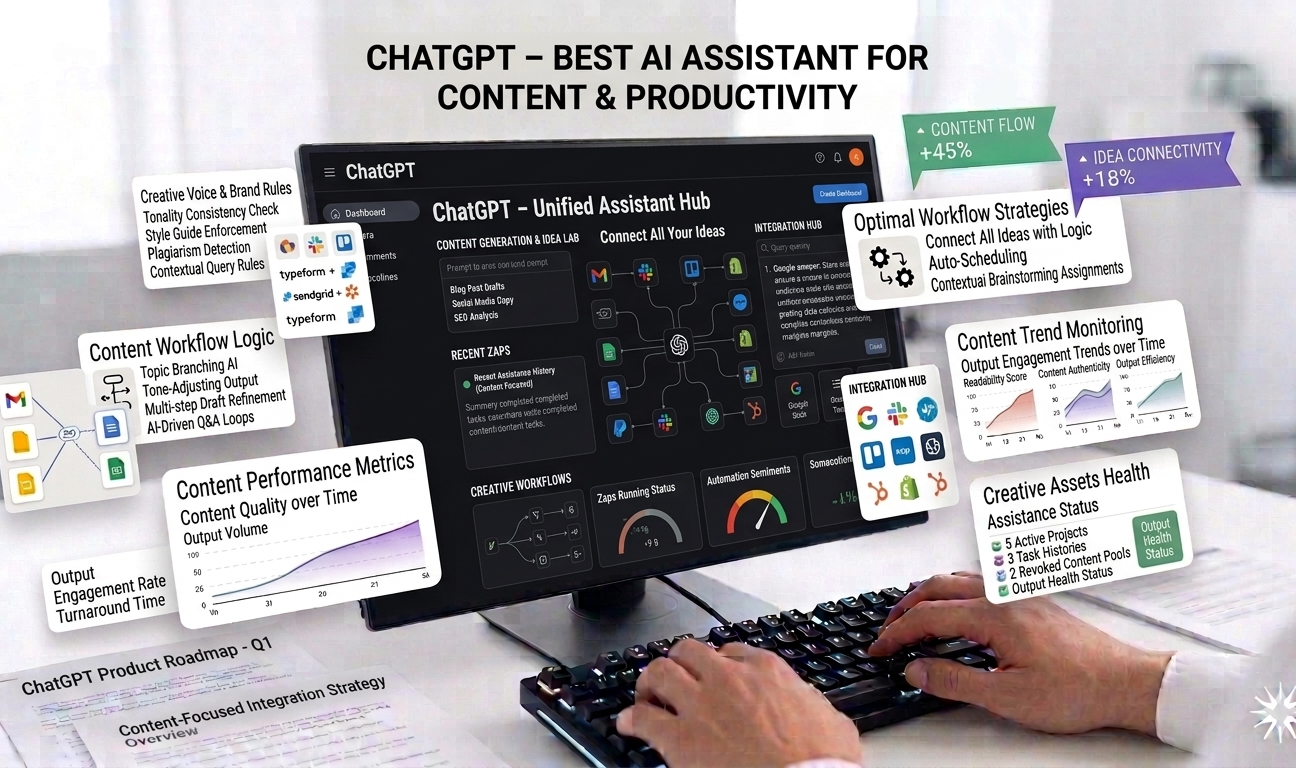
ChatGPT is widely regarded as the most versatile and accessible AI assistant available today. Built to understand and generate natural language, ChatGPT is used across industries for writing, coding, research, brainstorming, customer support, data analysis, and workflow automation. Its flexibility, ease of use, and rapid evolution have made it the default entry point for individuals and businesses exploring AI-powered productivity.
Unlike single-purpose AI tools designed for a specific task, ChatGPT functions as a general-purpose intelligence assistant. It can draft articles, debug code, explain complex topics, generate ideas, summarize documents, analyze data, and even assist with decision-making—all within a conversational interface.
From students and freelancers to enterprises and developers, ChatGPT has become a daily productivity companion that adapts to a wide range of professional and creative needs.
How ChatGPT Works
ChatGPT is powered by large language models trained on vast amounts of text data. Users interact with it through natural language prompts, asking questions or assigning tasks in plain English. The AI interprets context, intent, and instructions to generate relevant, coherent responses.
What makes ChatGPT especially powerful is its conversational memory within a session. It can maintain context across multiple messages, refine outputs based on feedback, and adjust tone or detail level dynamically.
In addition to text-based interaction, modern versions of ChatGPT support multimodal input—allowing users to work with text, data, and images in a single interface.
Key Features of ChatGPT
1. Natural Language Conversations
At its core, ChatGPT excels at human-like conversation. Users don’t need technical commands or structured inputs—simple, conversational prompts are enough.
This natural interaction lowers the barrier to entry and makes ChatGPT usable by non-technical users while still being powerful enough for advanced professionals.
2. Content Writing and Editing
ChatGPT is widely used for content creation, including:
- Blog posts and articles
- Website copy and landing pages
- Emails and newsletters
- Social media posts
- Scripts and presentations
It can write from scratch, improve existing content, rewrite text for clarity or tone, and adapt writing styles to different audiences. This makes it valuable for marketers, writers, business owners, and content teams.
3. Research and Summarization
ChatGPT is highly effective at summarizing long documents, extracting key points, and explaining complex topics in simple terms. Users can paste reports, articles, or notes and receive concise summaries or structured insights.
For research tasks, ChatGPT helps with outlining topics, comparing concepts, and synthesizing information—saving significant time during the discovery and planning phases.
4. Code Generation and Debugging
Developers use ChatGPT extensively for coding tasks. It supports multiple programming languages and can:
- Generate code snippets
- Explain existing code
- Debug errors
- Optimize logic
- Assist with documentation
While it doesn’t replace professional developers, it significantly accelerates development and problem-solving workflows.
5. Workflow Automation and Productivity Support
ChatGPT can assist with workflow automation by helping users design processes, write automation scripts, generate templates, and create SOPs.
Combined with tools like APIs, plugins, or integrations, ChatGPT can become part of larger automation pipelines—supporting operations, customer service, and internal workflows.
6. Multimodal Input (Text, Data, Images)
Modern versions of ChatGPT support multimodal capabilities, allowing users to analyze images, interpret charts, work with datasets, and combine multiple input types in a single conversation.
This expands ChatGPT’s use cases beyond writing into analysis, design feedback, and data-driven decision-making.
7. Customization and Prompt Control
Users can guide ChatGPT’s behavior by specifying tone, role, format, or constraints. For example, it can act as a marketer, teacher, developer, or consultant—adapting responses accordingly.
This level of control makes ChatGPT suitable for both casual use and professional applications.
Use Cases
Content Creators and Marketers
ChatGPT helps content creators brainstorm ideas, draft content, optimize messaging, and scale production. It’s especially useful for early drafts and ideation.
Developers and Technical Teams
Developers use ChatGPT to speed up coding, debug issues, and learn new technologies. It acts as an always-available technical assistant.
Business Professionals and Entrepreneurs
Entrepreneurs rely on ChatGPT for business planning, emails, proposals, presentations, and strategy development—reducing reliance on multiple tools.
Customer Support and Operations
ChatGPT assists with creating support scripts, FAQs, internal documentation, and process optimization—improving consistency and efficiency.
Students and Educators
Students use ChatGPT for explanations, study assistance, summarization, and research guidance, while educators use it to create lesson plans and materials.
Performance and Reliability
ChatGPT delivers fast responses and consistent performance, even for complex prompts. Frequent updates ensure improvements in accuracy, reasoning, and capabilities over time.
Its cloud-based infrastructure ensures high availability and scalability for users worldwide.
Ecosystem and Integrations
ChatGPT benefits from a growing ecosystem of integrations, APIs, and extensions. Businesses can integrate it into websites, apps, CRMs, and internal systems—expanding its utility beyond standalone use.
This ecosystem makes ChatGPT adaptable to both individual productivity and enterprise-scale applications.
Pros
✔ Extremely flexible across countless use cases
✔ Easy to use with natural language interaction
✔ Strong performance and fast response times
✔ Regular updates and feature improvements
✔ Powerful ecosystem and integration options
Cons
✖ Advanced features require a paid subscription
✖ Outputs may require fact-checking
✖ Not a replacement for human judgment or expertise
✖ Can produce generic responses without clear prompts
Pricing
ChatGPT offers both free and paid access:
- Free Tier: Basic conversational capabilities
- Paid Subscription: Unlocks advanced models, higher limits, faster responses, and multimodal features
Pricing is competitive considering the breadth of use cases ChatGPT supports.
Ease of Use and Learning Curve
ChatGPT has one of the lowest learning curves among AI tools. Users can start immediately without tutorials or technical setup. More advanced usage—such as prompt engineering or integrations—can be learned gradually.
This accessibility is a major reason for its widespread adoption.
Security and Responsible Use
ChatGPT follows standard security practices and usage policies. Users should avoid sharing sensitive or confidential information unless proper safeguards are in place.
As with all AI tools, responsible use and human oversight are essential—especially for critical decisions or public-facing content.
Comparison with Specialized AI Tools
While specialized AI tools may outperform ChatGPT in narrow domains, ChatGPT’s strength lies in its versatility. It replaces the need for multiple single-purpose tools, making it a cost-effective and efficient solution for many users.
WebCritique Verdict
ChatGPT is the best starting point for anyone exploring AI-powered productivity. Its unmatched flexibility, ease of use, and expanding capabilities make it suitable for beginners and professionals alike.
Whether you need help writing, coding, researching, or organizing your work, ChatGPT adapts to your needs and grows with your workflows.
Overall Rating: ⭐⭐⭐⭐⭐ (5/5)
For individuals and businesses looking for a powerful, all-in-one AI assistant, ChatGPT remains the gold standard in AI-driven productivity tools.

Leave feedback about this